

Invoicing that stays in your browser.
Make GST invoices and keep simple books for your business, entirely inside your own browser.
Rohit Singh | Mr. ChartistAuthor and builder



- Runs on
- Your computer
- Setup
- About 3 minutes
- Licence
- Mr. Chartist Non-Commercial Source License
- Updated
- React 19
- TypeScript
- Vite 8
- Zustand
- CSS Modules
- html-to-image
- jsPDF
What you get.
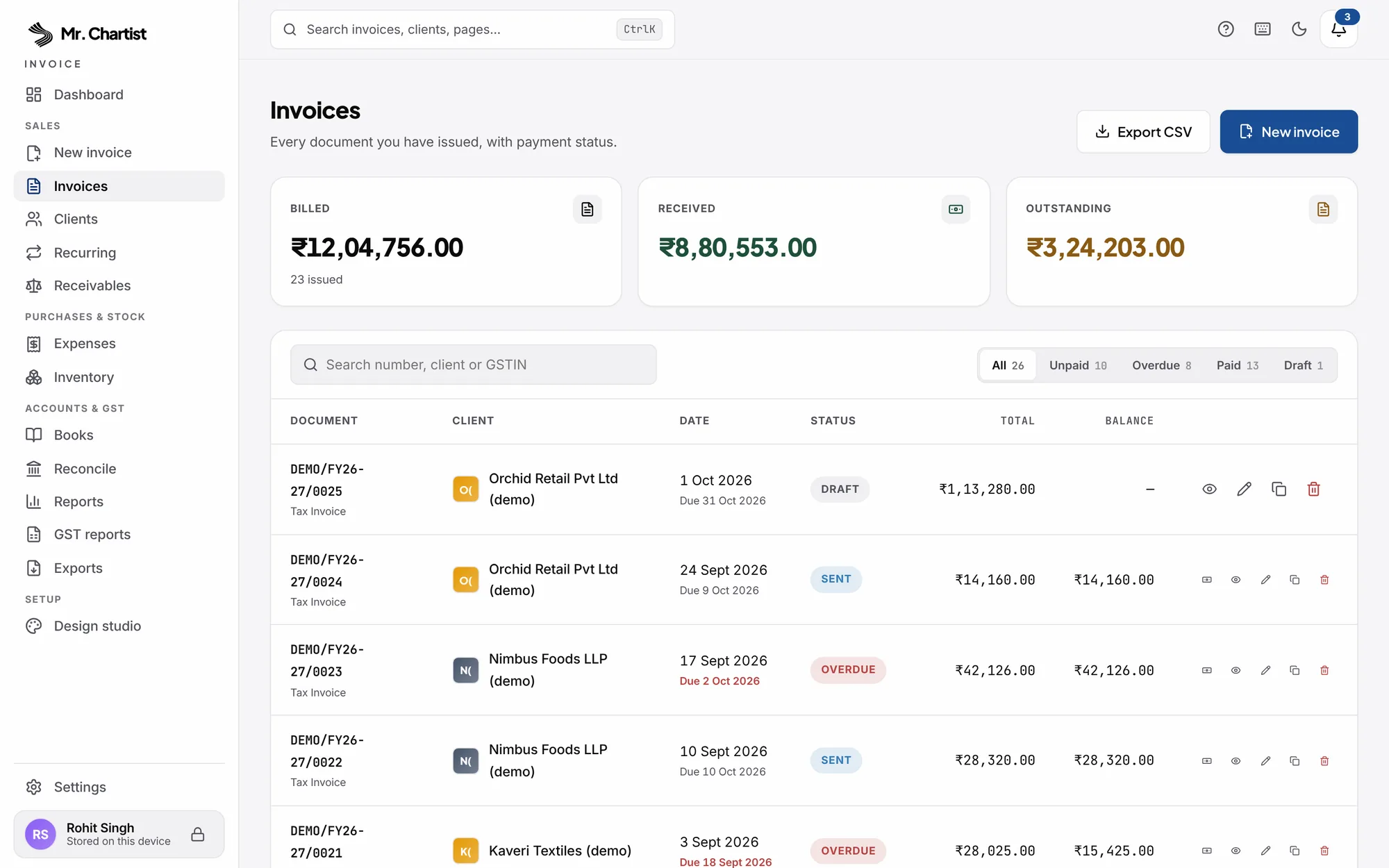
GST-ready tax invoices, quotations, proforma invoices, credit notes and delivery challans, each with a UPI scan-to-pay QR.
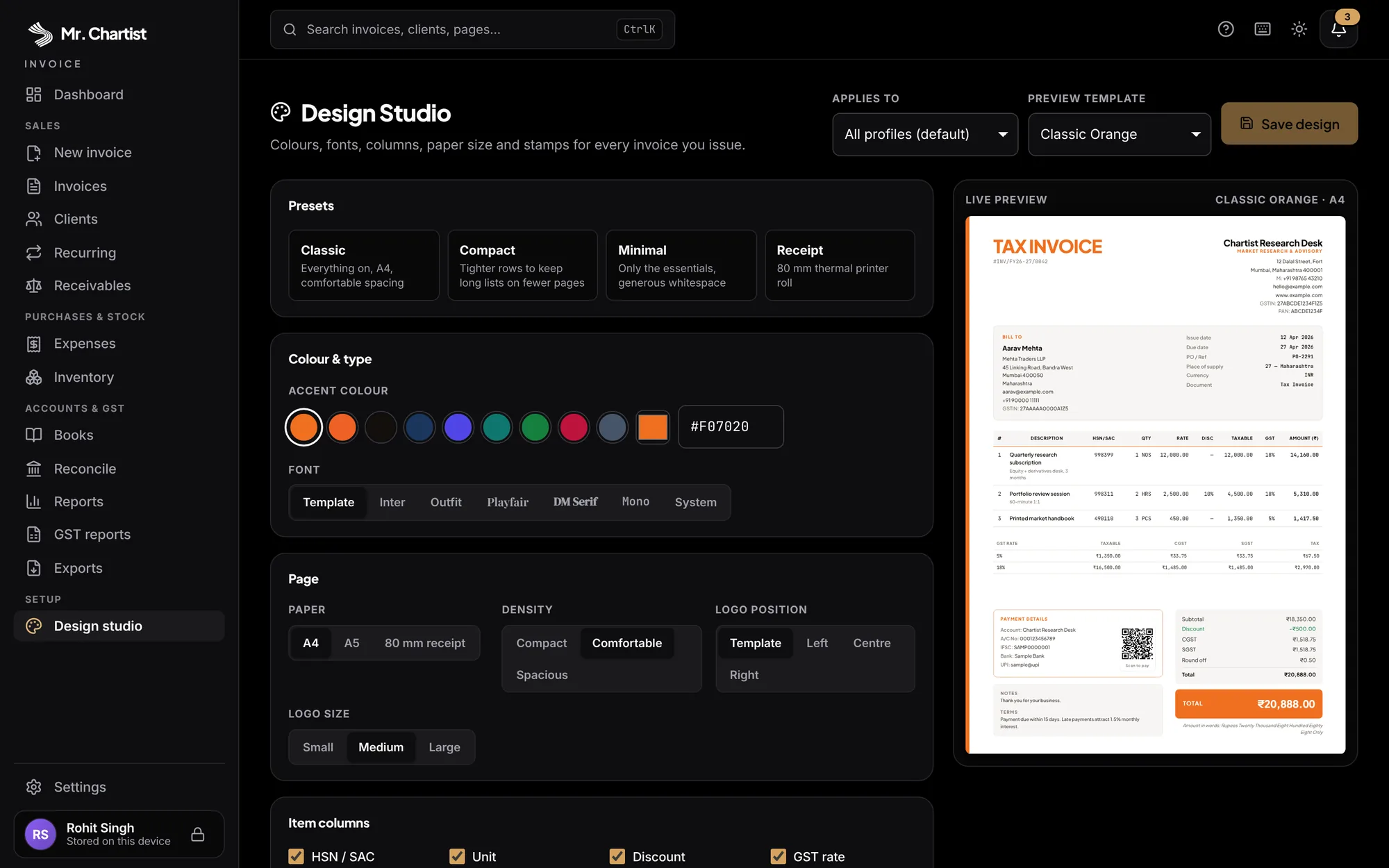
26 print templates and a Design Studio for colours, fonts and paper size (A4, A5 or 80 mm thermal).
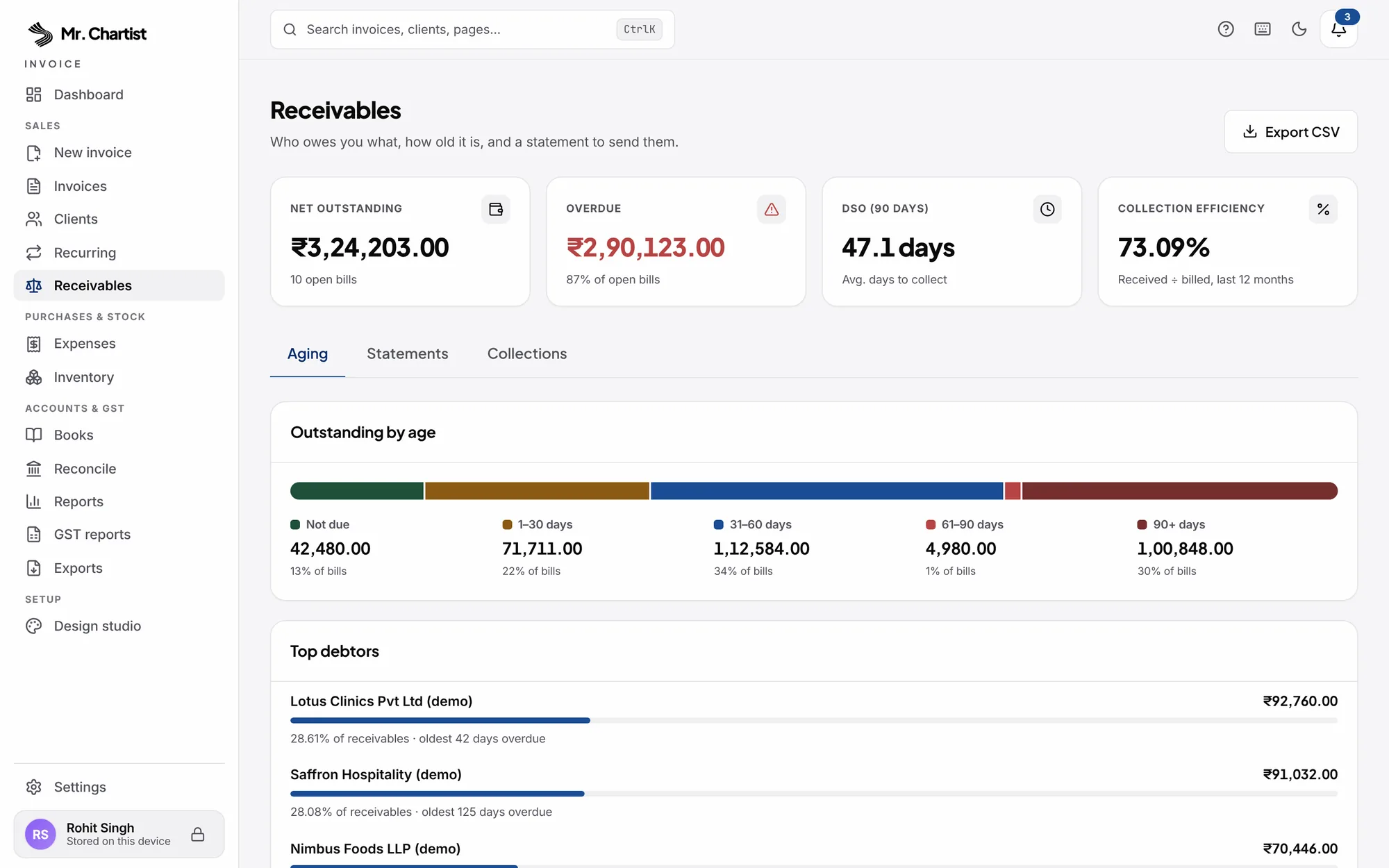
Receivables with aging, party ledgers and printable client statements, plus payment reminders in English and Hinglish.
Purchases, expenses, stock, day book, profit and loss, and bank reconciliation from your CSV statements.
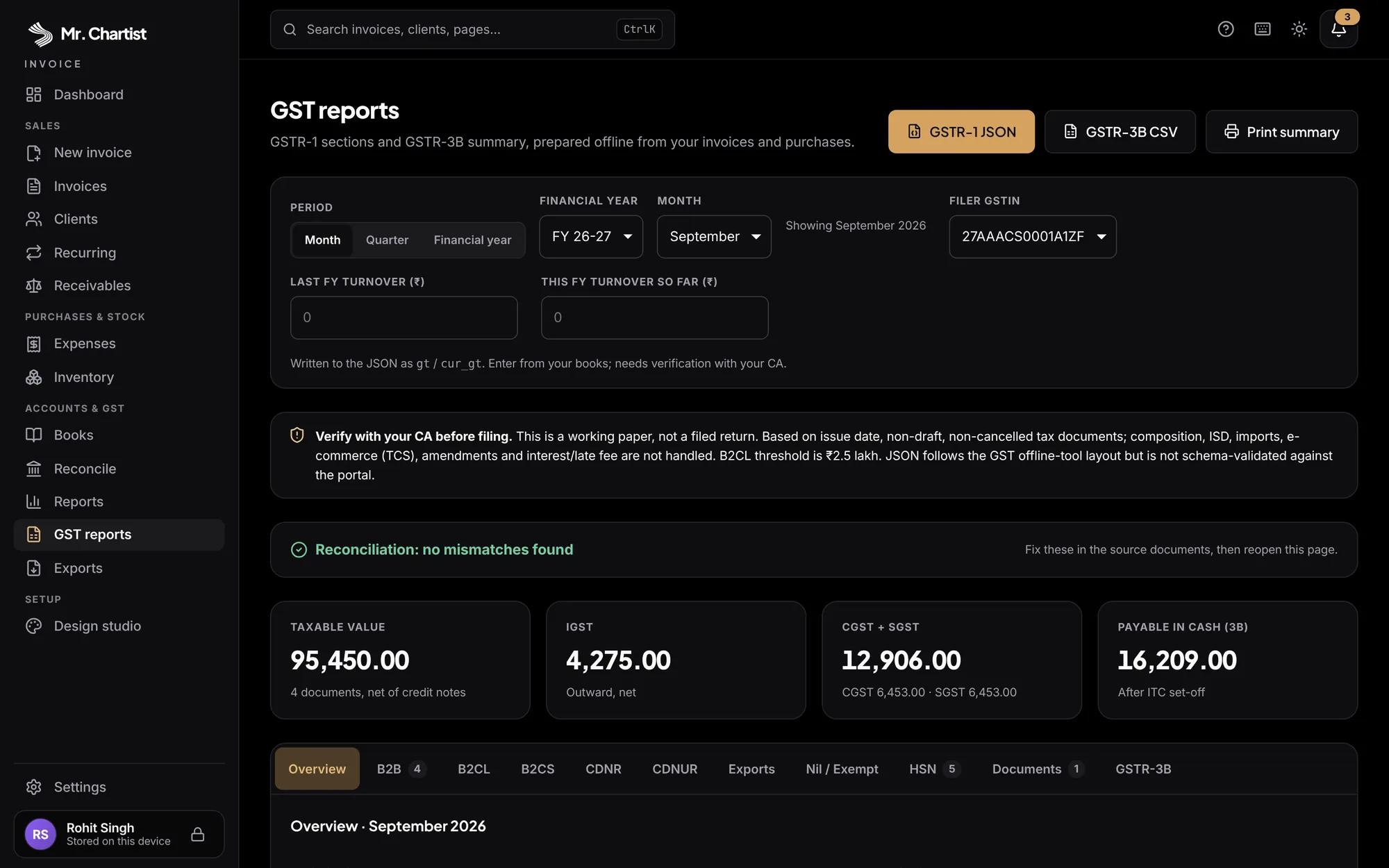
GSTR-1 and GSTR-3B working papers, e-Invoice and e-Way Bill JSON, Tally XML and CSV exports for your accountant.
Your data never leaves the browser. Back it up as a file, to a folder, or as a passphrase-encrypted backup.
Sales documents: tax invoices, quotations, proforma invoices, credit notes and delivery challans, with one-click conversion between them. Numbers follow the Indian financial year (INV/FY25-26/0001) and restart every 1 April. Duplicate numbers are refused and gaps in the series are shown.
GST engine: CGST and SGST or IGST from place of supply, per-line HSN/SAC and rate, GSTIN checksum validation, reverse charge, cess, TCS, TDS, tax-inclusive pricing, SEZ, export and LUT supplies, and amount in words using Lakhs and Crores.
Templates and Design Studio: 26 templates across 7 layouts. The Design Studio changes accent colour, fonts, columns, paper size and logo position, and adds PAID or OVERDUE stamps. A UPI scan-to-pay QR prints on every invoice, and PDF export is multi-page.
Collections: part-payments with history, receivables aging, party ledgers, printable client statements, days sales outstanding, payment reminders in English and Hinglish through WhatsApp, email or SMS links, and recurring invoices.
Purchases and inventory: vendors, bills, expenses and input tax credit, plus stock with weighted-average or FIFO costing and low-stock warnings while you draft an invoice.
Books and banking: day book, cash and bank book, profit and loss on accrual or cash basis, an indicative balance sheet, and bank reconciliation from HDFC, ICICI, SBI, Axis and Kotak CSV statements. Matches are only suggestions until you confirm them.
Filing papers: GSTR-1 and GSTR-3B working papers with JSON in the GSTN offline-tool style, and e-Invoice (IRP v1.1) and e-Way Bill JSON with checks before export. These are working papers, not portal-validated. Verify with your CA.
Accountant hand-off: Tally Prime XML, Zoho, Vyapar and Busy-friendly CSV, and CSV import from the same tools.
Compliance guards: an audit trail of every change, and a 'lock books up to' date that freezes filed periods. Overriding the lock needs your PIN and is recorded.
Privacy and resilience: a hashed PIN with lockout and idle lock, passphrase-encrypted backups, auto-backup to a folder you choose, an installable offline PWA, and no network calls. The PIN is a lock screen, not encryption.
Inside Invoice.




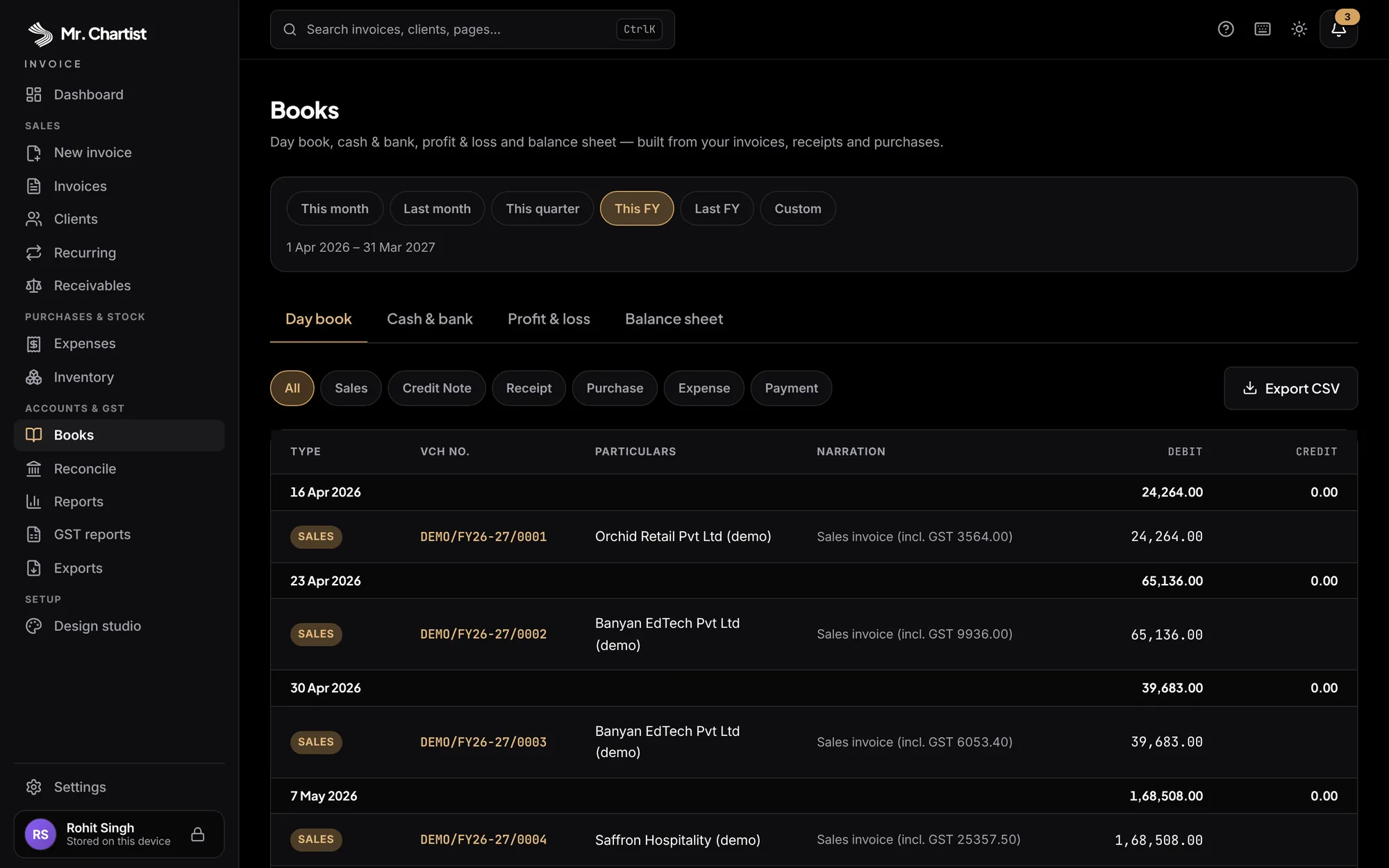
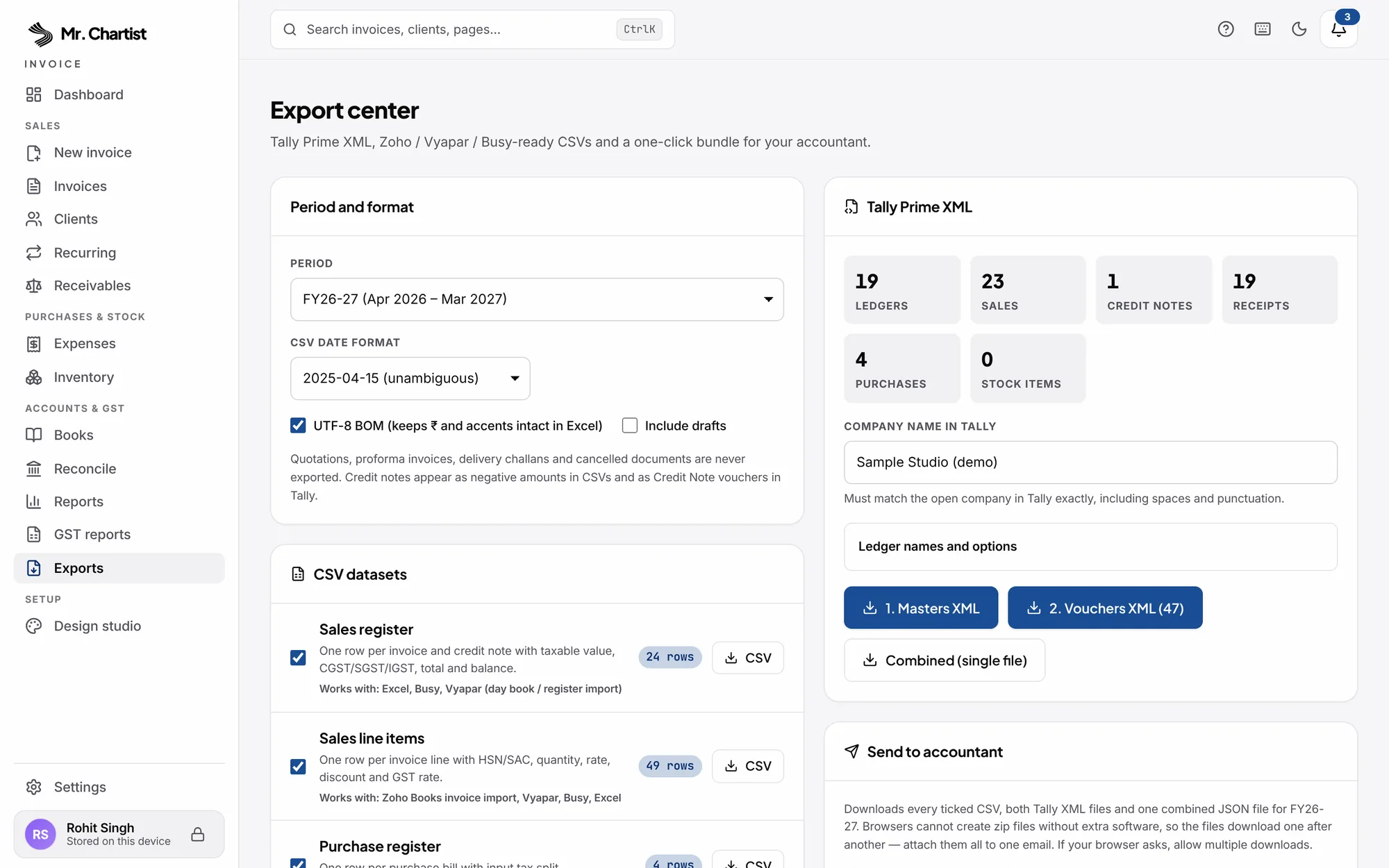
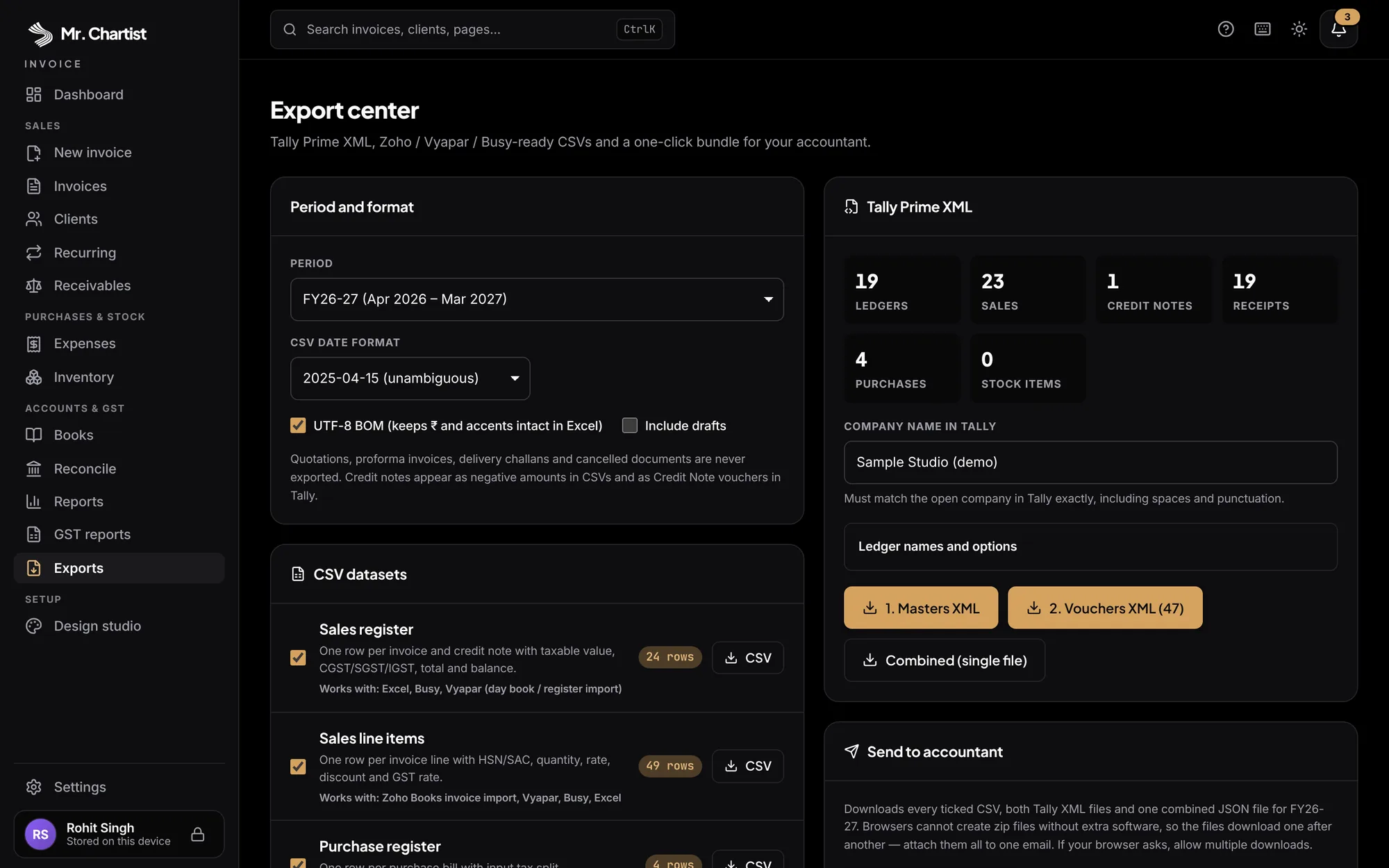
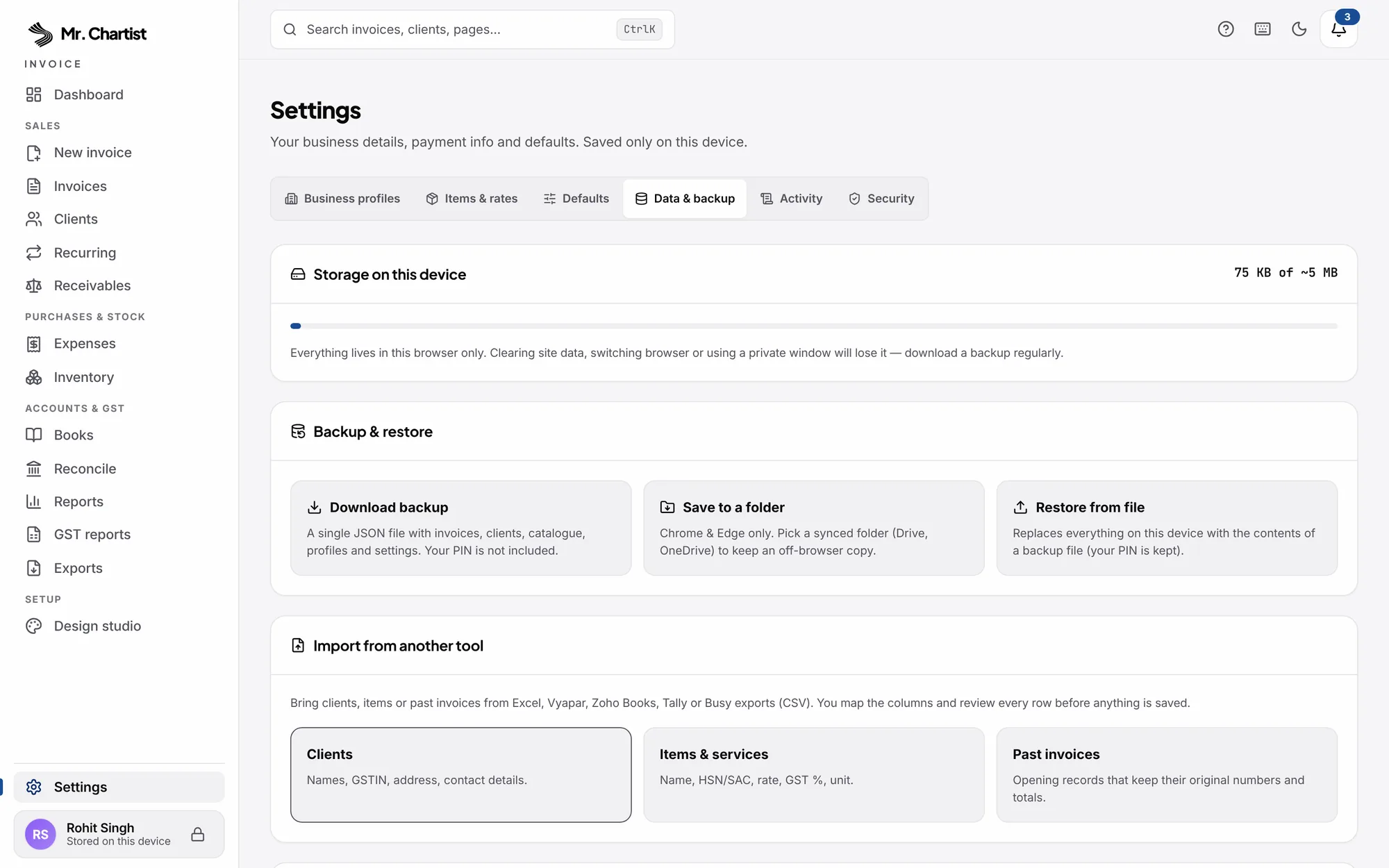

Dashboard
Billed, received and overdue at a glance, with the payments to chase today.
Totals
Billed, Received, Outstanding, Overdue
Four tiles that reconcile with your invoices, Books and Reports.
Payments to chase
One-click Remind
Overdue invoices with days late and the last reminder, ready to send.
Sample data
Try it, then remove it
A fictional business you can explore. Removing it never touches your own records.
From start to finish.
Enter
Pages and a Zustand store hold the document you are editing. Every rupee amount is calculated in one file, src/lib/invoice-calc.ts, so totals match everywhere.
Save
The data layer writes to browser tables under the mrchartist_inv_ prefix. It snapshots the sender profile onto the invoice, refuses duplicate numbers, respects the books lock date and records an audit entry.
Derive
Receivables, books, reports, stock and GST papers are built from those saved records by small tested functions in src/lib, so they reconcile with the dashboard.
Output
A template engine renders the paper. html-to-image and jsPDF make the PDF. Separate builders write CSV, Tally XML, GSTR JSON and e-Invoice JSON.
Protect
A hashed PIN, idle lock and passphrase-encrypted backups guard the data. A service worker makes the app work offline, and auto-backup writes to a folder you choose.
Run it on your computer.
You need
- Node.js 22 or higher
- Git
- About 3 minutes
- Internet only for the first install
git clone https://github.com/MrChartist/Invoice.git
cd Invoice
npm install
npm run dev
Prefer step by step?
- 1Install Node.js 22 or higher (nodejs.org). Older versions will not run the test suite.
- 2Clone: git clone https://github.com/MrChartist/Invoice.git && cd Invoice
- 3Install: npm install
- 4Start the dev server: npm run dev, then open http://localhost:5173.
- 5On first visit, choose a name and a PIN. Then open Settings and add your business profile: GSTIN, address, bank and UPI ID.
- 6Create your first invoice and use Preview to download the PDF. Optionally load the sample data from the Dashboard to explore, and remove it later.
- 7Open Settings, then Data & backup, and download a backup or connect a folder for automatic backups. Browser data is lost if you clear site data.
- 8Before changing code, run: npm run typecheck && npm run lint && npm test && npm run build.
- 9For production: npm run build creates dist/. Serve it from any static host that returns index.html for unknown paths and serves sw.js from the root. Read the licence before hosting it for other people.
Let an AI install it for you.
Claude
You need
- Repo access
- README context
- Terminal if using Claude Code
You are my setup assistant. Install and run "Invoice" on my computer, then confirm it works. I am not a developer, so explain every step in simple English.

Repository: https://github.com/MrChartist/Invoice
What it is: Make GST invoices and keep simple books for your business, entirely inside your own browser.
Built with: React 19 + TypeScript + Vite 8 + Zustand + CSS Modules + html-to-image + jsPDF

Rules
1. Ask which operating system I use (Windows, macOS or Linux) and give commands for that system only.
2. Check what is already installed (Git, Node.js or Python versions) before installing anything. If something is missing, tell me where to download it and wait.
3. Ask me before installing anything globally or changing system settings.
4. Never ask me to paste passwords or API keys into this chat. If a key is needed, tell me which file to put it in.
5. Do not edit the project's source code unless I ask.
6. Read the README first. If it disagrees with the steps below, follow the README and tell me why.

Steps from the guide
1. Install Node.js 22 or higher (nodejs.org). Older versions will not run the test suite.
2. Clone: git clone https://github.com/MrChartist/Invoice.git && cd Invoice
3. Install: npm install
4. Start the dev server: npm run dev, then open http://localhost:5173.
5. On first visit, choose a name and a PIN. Then open Settings and add your business profile: GSTIN, address, bank and UPI ID.
6. Create your first invoice and use Preview to download the PDF. Optionally load the sample data from the Dashboard to explore, and remove it later.
7. Open Settings, then Data & backup, and download a backup or connect a folder for automatic backups. Browser data is lost if you clear site data.
8. Before changing code, run: npm run typecheck && npm run lint && npm test && npm run build.

When the steps are done
- Start the app and tell me the exact address to open. Expected address: http://localhost:5173
- If an error appears, read it, fix the cause and retry. After three failed attempts, stop and explain the problem simply.
- Finish with five short lines: what the app does, how to start it again, how to stop it, where its data is stored, and one thing I can try first.
- This is an information tool. It is not investment advice.

If you can run a terminal (Claude Code), do it yourself. If you are chat only, give me one command block at a time and wait for me to reply before the next.
- Ask the AI to read AGENTS.md and docs/ARCHITECTURE.md first, then explain the module contract and the storage tables (mrchartist_inv_* keys).
- Ask it to trace invoice maths: src/lib/invoice-calc.ts is the only place money is calculated, and tests/invoice-calc.test.ts shows the expected rounding.
- Ask it to explain the template system: src/components/templates/registry.ts, TemplateEngine.tsx and how Design Studio preferences in src/lib/design-prefs.ts change the output.
- Ask it to trace the PDF path: preview component, html-to-image capture, jsPDF pages, download.
- Ask it to explain GSTR-1 and GSTR-3B building in src/lib/gst-reports.ts and src/lib/gstr-json.ts, and what the reconciliation warnings mean.
- Ask it to explain how bank reconciliation scores matches in src/lib/bank-recon.ts, and why nothing is applied until you confirm.
- IMPORTANT: Keep the project rules. No backend or network calls, no Tailwind, stored field names are additive-only, invoices read invoice.sender (the saved snapshot) first, Indian FY numbering is fixed, and bare YYYY-MM-DD dates are parsed as local days.
Questions about Invoice.
Run it, then read the code.
Run npm run dev, load the sample data, create one invoice and download the PDF. Then ask an AI to explain src/lib/invoice-calc.ts before touching any GST logic.