TradingView Platforms
Desktop, web, and mobile — access your charts seamlessly from any device.
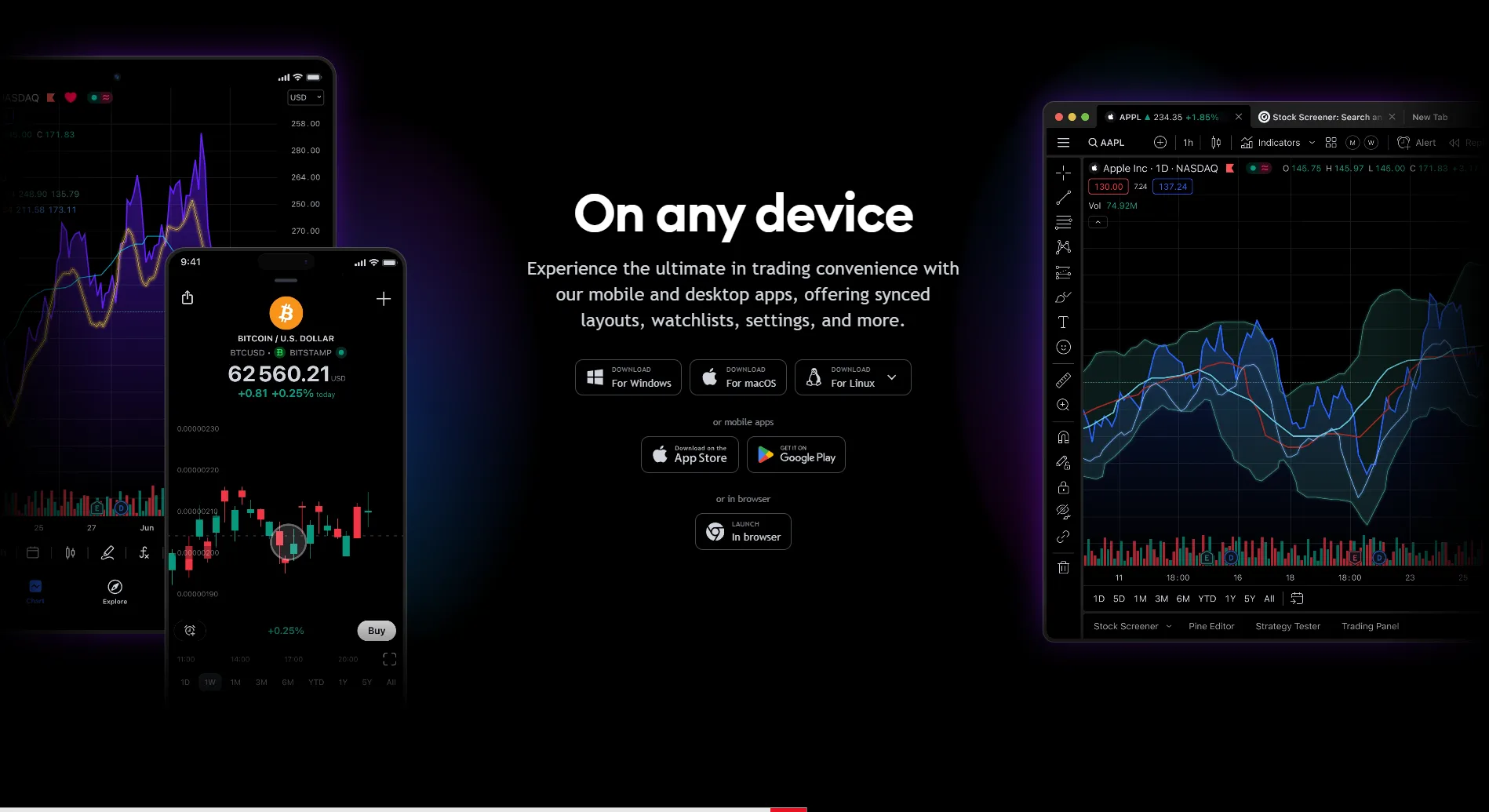
TradingView is designed to be accessible everywhere — your browser, your desktop, your phone. The HTML5-based architecture ensures zero installations, while dedicated native apps unlock additional power for professional workflows.
Whether you're analyzing Nifty on your laptop, checking an alert on your phone during lunch, or running a multi-monitor setup with the Desktop app — your entire workspace syncs instantly across every device. This article covers every platform, how to set them up, and which one is right for your trading style.
Three Ways to Access TradingView
TradingView offers three distinct access methods, each optimized for different use cases. All three share the same cloud infrastructure — your charts, drawings, alerts, and settings travel with you.
The critical insight is that TradingView's cloud sync is bidirectional and instant. Draw a Fibonacci retracement on your desktop at home, and it appears on your phone within seconds. Set an alert on mobile during your commute, and your desktop triggers the notification the moment you sit down. There's zero friction between platforms.
Web Browser
- Works on Chrome, Safari, Edge, Firefox
- Zero installation — cloud-based
- Full feature parity with desktop
Desktop App
- Windows, macOS, Linux support
- Native multi-monitor & tab linking
- Lower RAM, faster Pine Script execution
Mobile Apps
- iOS and Android — full charting engine
- Push notifications for alerts
- Draw, analyze, and trade on the go
Your analysis automatically syncs across all devices — ensuring you are never disconnected from the market pulse.
Critical warning
Do NOT buy your TradingView subscription through the iOS or Android app - Apple/Google charge a 30% markup. Always purchase through the website at tradingview.com for the lowest price.
Web Browser — The Universal Gateway
The web browser is TradingView's primary and most popular access method. Built entirely on HTML5, the platform runs natively in Chrome, Safari, Edge, Firefox, Brave, and any modern browser — with zero plugins or installations.
For Indian traders, this means you can access full Supercharts functionality from any computer — at home, at your office, or even at a friend's place. Simply log in at tradingview.com and your entire workspace loads instantly from the cloud.
The browser version has complete feature parity with the desktop app for charting, indicators, and analysis. The only differences are in system-level integrations like multi-monitor workspace management and OS-level keyboard shortcuts.
Key takeaways
- Works on Chrome, Safari, Edge, Firefox, Brave, and all Chromium-based browsers
- Zero installation — open tradingview.com and start analyzing immediately
- Full feature parity with desktop: 21 chart types, 400+ indicators, 110+ drawing tools
- Cloud login ensures your workspace loads identically on any machine
- Best for: Casual analysis, shared computers, quick market checks, and new users
Professional tip
For the best browser performance, use Google Chrome with hardware acceleration enabled (Settings → System → Use hardware acceleration). Chrome's V8 JavaScript engine handles TradingView's real-time rendering better than most alternatives.
TradingView Desktop App — The Power User's Choice
The Desktop application (available for Windows, macOS, Linux) is TradingView's most powerful client. It removes all browser limitations — no tab clutter, no memory throttling, no shortcut conflicts.
Professional day traders who run complex Pine Script algorithms or use 4-8 chart layouts across multiple monitors see dramatically better performance on the Desktop app compared to Chrome or Safari.
The Desktop app also enables workspace persistence — when you close and reopen the app, your exact multi-monitor layout, chart positions, and window sizes restore automatically. This is a game-changer for traders who maintain complex setups.
Key takeaways
- Native multi-monitor support — set up and restore full workspace
- Symbol syncing between tabs — change in one, updates all linked
- Synchronized workspace crosshairs across all displays
- No browser tab clutter — always one click away
- Full cloud sync: layouts, watchlists, settings
- Auto-update in background
- Distraction-free mode
Professional tip
If you are running complex Pine Script algorithms or using 4-8 chart layouts across multiple monitors, the Desktop application is significantly faster and more stable than Google Chrome or Safari.
Professional tip
On Windows, the Desktop app supports native notification integration — alert popups appear in your system tray even when the app is minimized or another application is in focus.
How to Install the Desktop App
Installing TradingView Desktop takes under 2 minutes on any operating system. The app auto-updates in the background, so you always have the latest features without manual intervention.
Windows Installation
- Download the .msix installer from tradingview.com/desktop
- Double-click to install — Windows handles the rest
- App appears in Start Menu and can be pinned to Taskbar
- Auto-launches on Windows startup (configurable)
macOS Installation
- Download the .dmg file from tradingview.com/desktop
- Drag TradingView to Applications folder
- Grant screen recording permission for multi-monitor sync
- Supports both Intel and Apple Silicon (M1/M2/M3) natively
Linux Installation
- Available as .deb package (Ubuntu/Debian)
- Also available as Snap or Flatpak
- Full multi-monitor support on X11 and Wayland
- Same feature parity as Windows and macOS versions
Desktop App vs. Web Browser — Detailed Comparison
While the web browser provides the full TradingView experience, the Desktop app offers significant advantages for power users. Here's an objective, feature-by-feature comparison to help you decide.
| Features | TradingView | Traditional Brokers |
|---|---|---|
| RAM Usage | Dramatically lower | High (per-tab overhead) |
| Multi-Monitor | Native workspace restore | Manual tab dragging |
| Tab Linking | Symbol + interval sync across windows | Single window only |
| Pine Script Speed | Significantly faster execution | Browser engine limited |
| Background Charts | Always running | Throttled by browser |
| Keyboard Shortcuts | Deep OS-level integration | Browser shortcut conflicts |
For serious traders running multi-monitor setups or complex Pine Script strategies, the Desktop app is the clear winner. For quick analysis and accessibility, the browser is unbeatable.
Mobile Apps — Full Charting in Your Pocket
The market doesn't stop when you step away from your desk. TradingView offers fully-featured mobile applications for both iOS and Android devices, ensuring you have institutional-grade tools in your pocket.
The mobile app isn't just a compromised viewing tool — it allows for full technical analysis. You can draw trendlines, apply indicators, execute trades through connected brokers, and manage your portfolio natively.
A standout feature is push notifications. Any server-side alerts you set on the desktop automatically trigger push notifications directly to your phone, ensuring you never miss a breakout or a key price level being hit.
iOS App Features
- Requires iOS 16.0 or later
- Full Supercharts engine with all chart types
- Apple Watch complications for quick price checks
- Home Screen widgets for watchlist monitoring
- Face ID / Touch ID authentication
Android App Features
- Requires Android 8.0 or later
- Full Supercharts engine identical to iOS
- Home screen widgets for live watchlist data
- Split-screen and floating window support
- Background alerts without battery drain
Your entire workspace — drawings, layouts, watchlists, and strategy performance — syncs instantly across the web, desktop, and mobile platforms via the cloud.
Key takeaways
- Push Notifications: Server-side alerts trigger instantly on your phone — even if the app is closed
- Broker Execution: Execute trades on connected brokers (Dhan, Fyers) directly from mobile charts
- Full Drawing Tools: All 110+ drawing tools available via touch gestures
- Watchlist Sync: Your custom watchlists from desktop appear identically on mobile
- Dark Mode: Automatic dark mode support that follows your system settings
Professional tip
Enable 'Background App Refresh' on iOS (or disable battery optimization for TradingView on Android) to ensure push notifications for alerts arrive instantly, even when the app is not in the foreground.
Which Platform Should You Choose?
The best platform depends on your trading style, hardware setup, and how seriously you analyze markets. Here's a definitive recommendation based on trader profiles.
Beginners & Learners
- Start with the Web Browser — zero setup required
- Download the mobile app for alerts on the go
- No desktop app needed until you use multi-chart layouts
Swing Traders (2-15 Day Holds)
- Web Browser as primary for evening analysis
- Mobile app for alert monitoring during market hours
- Desktop app optional but useful for focused sessions
Day Traders & Scalpers
- Desktop App is essential for performance
- Multi-monitor setup with linked symbol sync
- Mobile app for alerts when away from desk
Professional / Institutional
- Desktop App with 2-4 monitor workspace
- Premium or Ultimate plan for max charts
- Mobile for emergency position management
Start with the browser, graduate to desktop when you need multi-monitor power, and always keep the mobile app installed for alerts.
Unlock TradingView Pro
More charts per layout, custom timeframes and more indicators per chart.
Common questions
Yes, the TradingView Desktop app is completely free to download and use on Windows, macOS, and Linux. It works with all plan tiers including the free Basic plan. The Desktop app doesn't unlock additional features compared to the browser — it simply provides a more performant, native experience with multi-monitor support and lower RAM usage.
Official TradingView resources
- Help CenterAndroid: My chart is not displayed correctly / buttons on the chart do not workTo display the chart in our Android app, we use the Android System WebView or the browser that is installed on the mobile device by default.If the cha...
- Help CenteriOS: How do I edit widgets?You can change your widget data in settings.For Watchlist widgets, you can choose any widget from your profile, change price change type (percent or p...
- Help CenterWhere can I download the app?Our mobile application is available on the AppStore (iOS 16.0 or later) as well as on Google Play (Android 8.0 or later).Also read:How to trade on Tra...
- Help CenterHow to change the default chart that loads in the app?When you open the iOS mobile app, it will display the last chart you viewed in either the web browser or on the TradingView Desktop app.To load a diff...
Keep reading

Written By
Rohit Singh
Mr. Chartist
With 14+ years of experience in Indian financial markets, Rohit Singh (Mr. Chartist) is a SEBI Registered Research Analyst, Amazon #1 bestselling author, and the founder of Investology — a premium trading ecosystem trusted by a 1.5 Lakh+ strong community across India.
TradingView is a registered trademark of TradingView, Inc. All screenshots, logos and platform imagery are the property of TradingView, Inc. and are used here for educational purposes only under fair use. This content is not affiliated with, endorsed or sponsored by TradingView. (c) 2026 TradingView, Inc. All rights reserved. www.tradingview.com